How to Introduce Yourself on Facebook (With Examples)
How to introduce yourself on Facebook in a group post, a first message or your profile bio, with copy-ready templates, examples and mistakes to avoid.
To introduce yourself on Facebook, match the intro to where it will be read. In a group, say who you are, why you joined and ask members one easy question. In a direct message, open with how you found the person and why you’re writing. On your profile, use the Intro bio for one or two lines about what you do and what you’re open to.
One template for each situation
Use three to six sentences in a group post, two to four in a first message and one or two lines in your profile Intro. Each format has a different reader: a group post is read by strangers who share an interest, a message by one person who doesn’t know you yet, and your profile Intro by anyone who clicks your name.
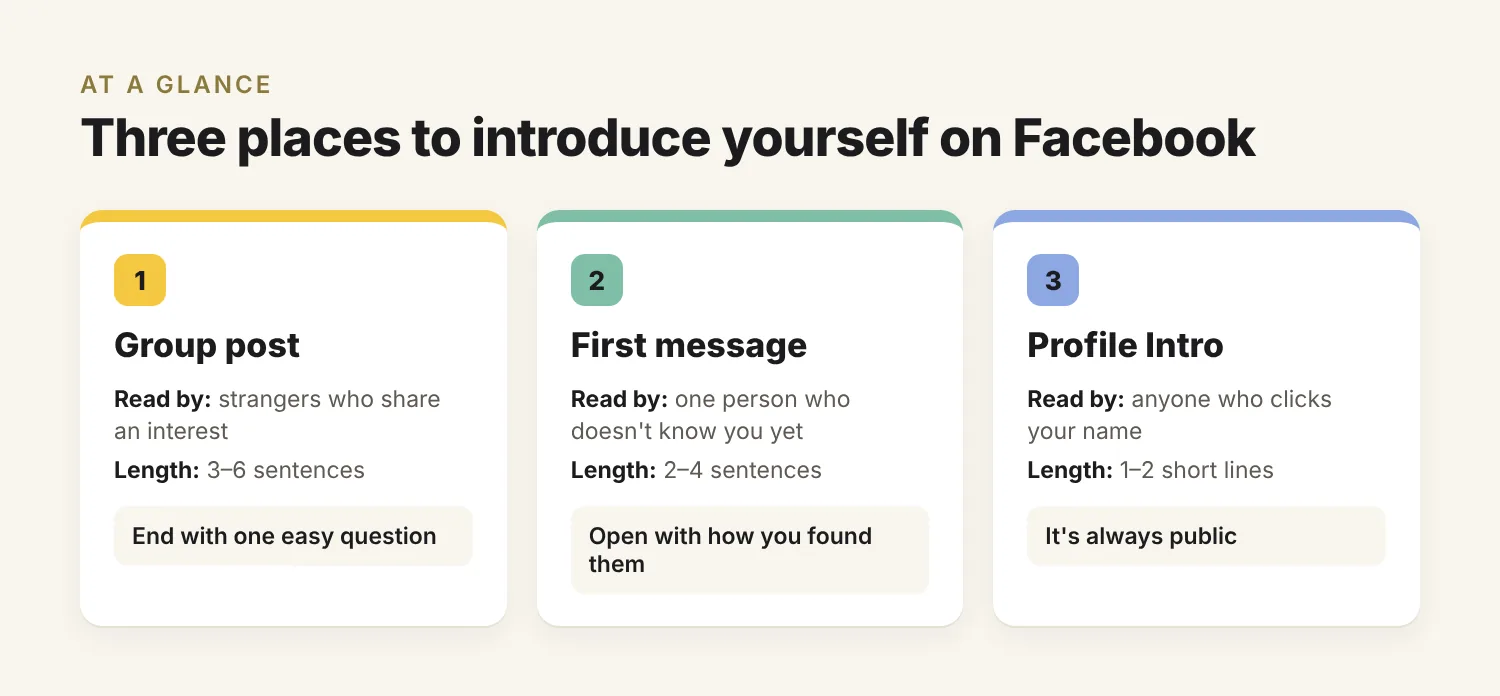
| Where | Length | Template |
|---|---|---|
| Group post | 3–6 sentences | Name and what you do → why you joined this group → one specific detail → one easy question |
| Direct message | 2–4 sentences | How you found them → what caught your attention → why you’re writing → one easy question |
| Profile Intro (bio) | 1–2 short lines | What you do or care about → one specific angle → what you’re open to |
How to introduce yourself in a Facebook group
In a Facebook group introduction, write about yourself in a way members can respond to: tell them who you are, why you joined this particular group and what you’d like to talk about, then end with a question anyone can answer. Keep it to a short paragraph of three to six sentences, and read the group rules first: some groups want intros only in a pinned or welcome thread.
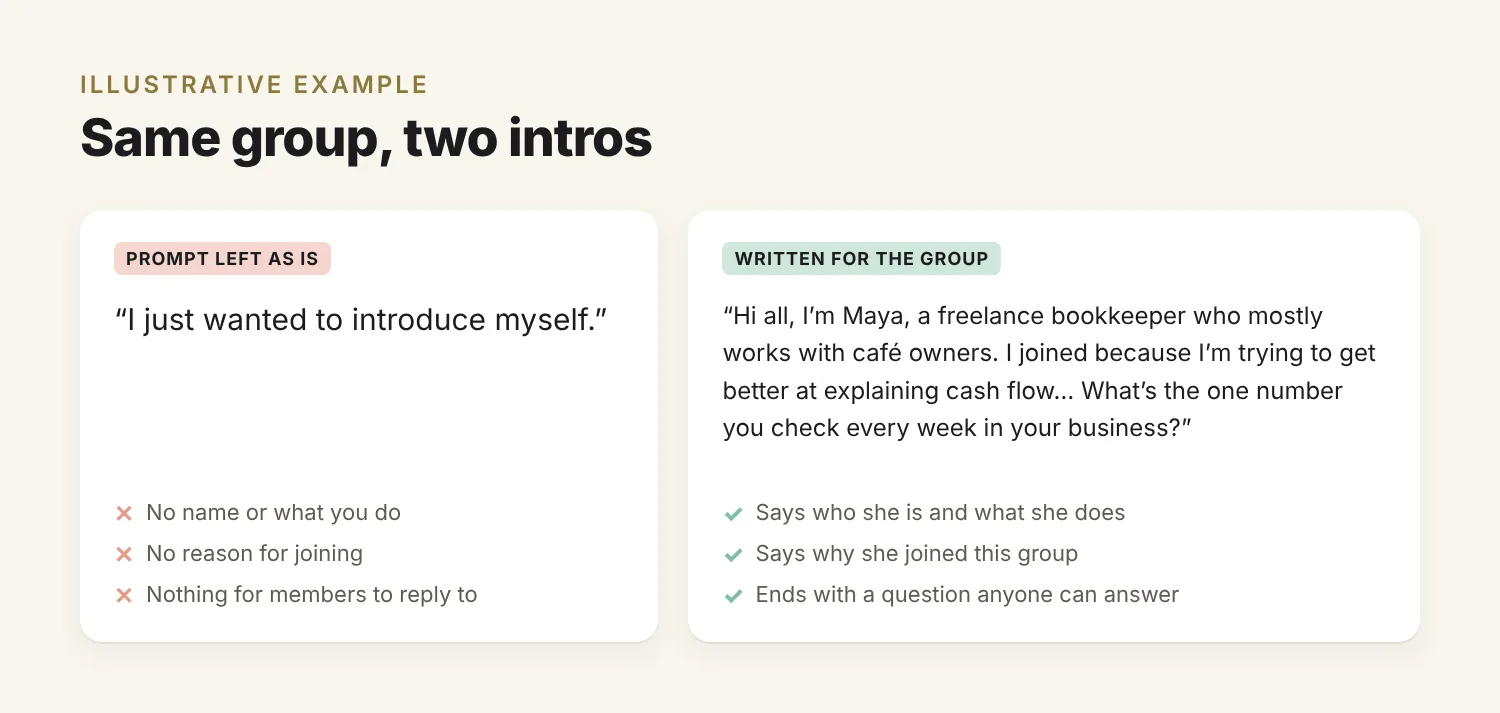
Don’t post “I just wanted to introduce myself” on its own
When you join a group, Facebook may offer to help you post an intro. In one Facebook community thread, a member asked why newcomers post a photo saying only “I just wanted to introduce myself”, and another replied that Facebook had filled in those words for her. Treat the prompt as a space to write in, not a finished post.
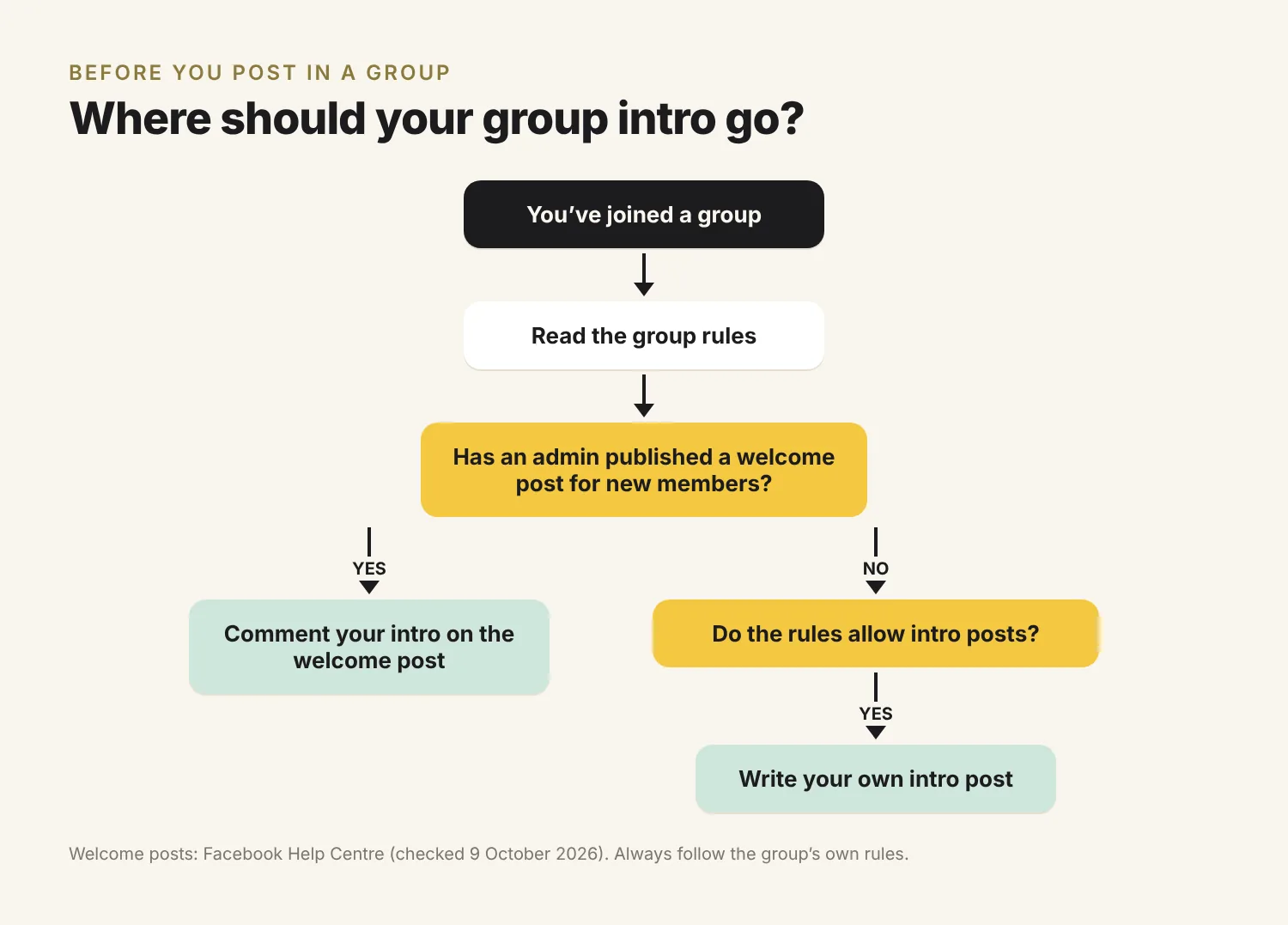
Check whether the admins have started a welcome thread
Group admins can show new members an intro message, which may include the rules and a prompt to post, according to Facebook’s Help Centre. They can also publish a welcome post for recent newcomers, either by hand or on a recurring schedule. If an admin has published a welcome post for new members, comment your intro there; it keeps the feed tidy and puts you alongside other newcomers. If there’s no welcome post and the rules allow it, write your own.
The group intro template
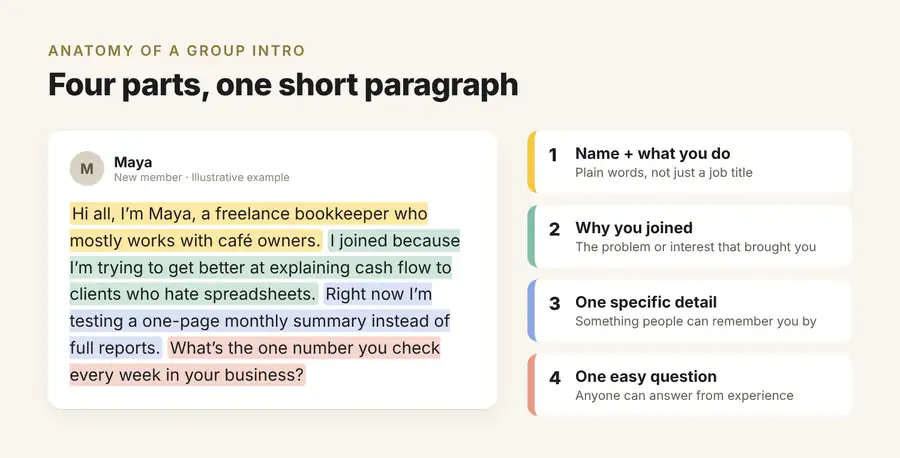
- Your name and what you do, in plain words rather than a job title alone.
- Why you joined this group: the problem, project or interest that brought you.
- One specific detail that makes you easy to remember, such as a current project, a place or an unusual hobby.
- One easy question members can answer from their own experience in a line or two.
If the group’s culture is to thank the admins, add one short line for that and no more.
Example (illustrative):
Hi all, I’m Maya, a freelance bookkeeper who mostly works with café owners. I joined because I’m trying to get better at explaining cash flow to clients who hate spreadsheets. Right now I’m testing a one-page monthly summary instead of full reports. What’s the one number you check every week in your business?
The first line tells readers what Maya does, the one-page summary is a detail they can remember her by, and any member can answer the closing question, not only experts.
Adjust it to the group
| Group type | Lead with | Ask about |
|---|---|---|
| Professional or networking | Your work and a current challenge | Something members can add expertise to |
| Local community | Where you live, or where you’ve just moved from | A local recommendation |
| Hobby or support | What drew you to the topic | What helped others when they started |
In business groups, keep the intro free of pitches. Some groups limit self-promotion to set days or threads, so check the rules and save your offer for where they allow it.
How to introduce yourself to someone in a Facebook message
Open a first Messenger message to someone new with context: how you found them and why you’re writing, followed by one easy question. A bare “Hi” or “How are you?” gives the person nothing to answer and no reason to reply to a stranger. Two to four sentences is enough.
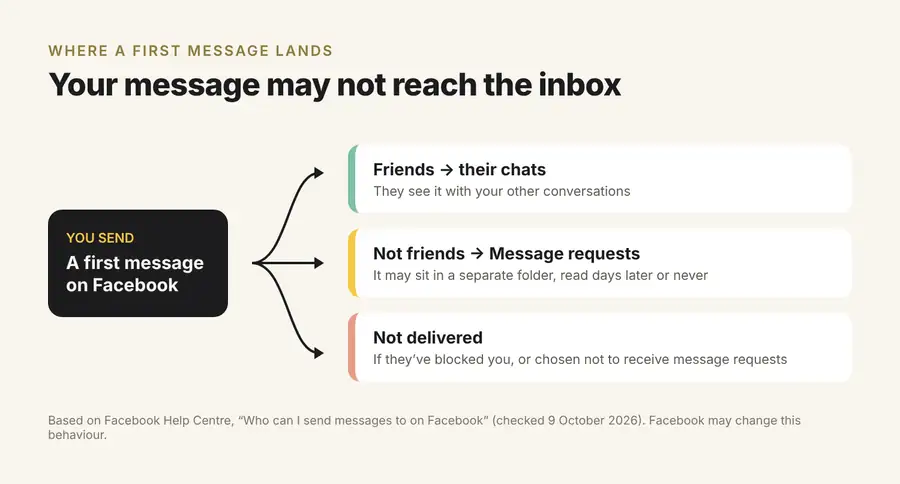
Your message may land in Message requests
You can message people you aren’t friends with, but those messages may arrive in their Message requests folder, or not be delivered at all if they’ve chosen not to receive message requests. Messages also won’t reach anyone who has blocked you. That changes how you write it:
- The first message has to stand on its own. The person may find it later in a separate folder, with no other context.
- A familiar name helps. If you’ve left useful comments on someone’s group posts first, they may recognise your name when your request arrives.
The message template
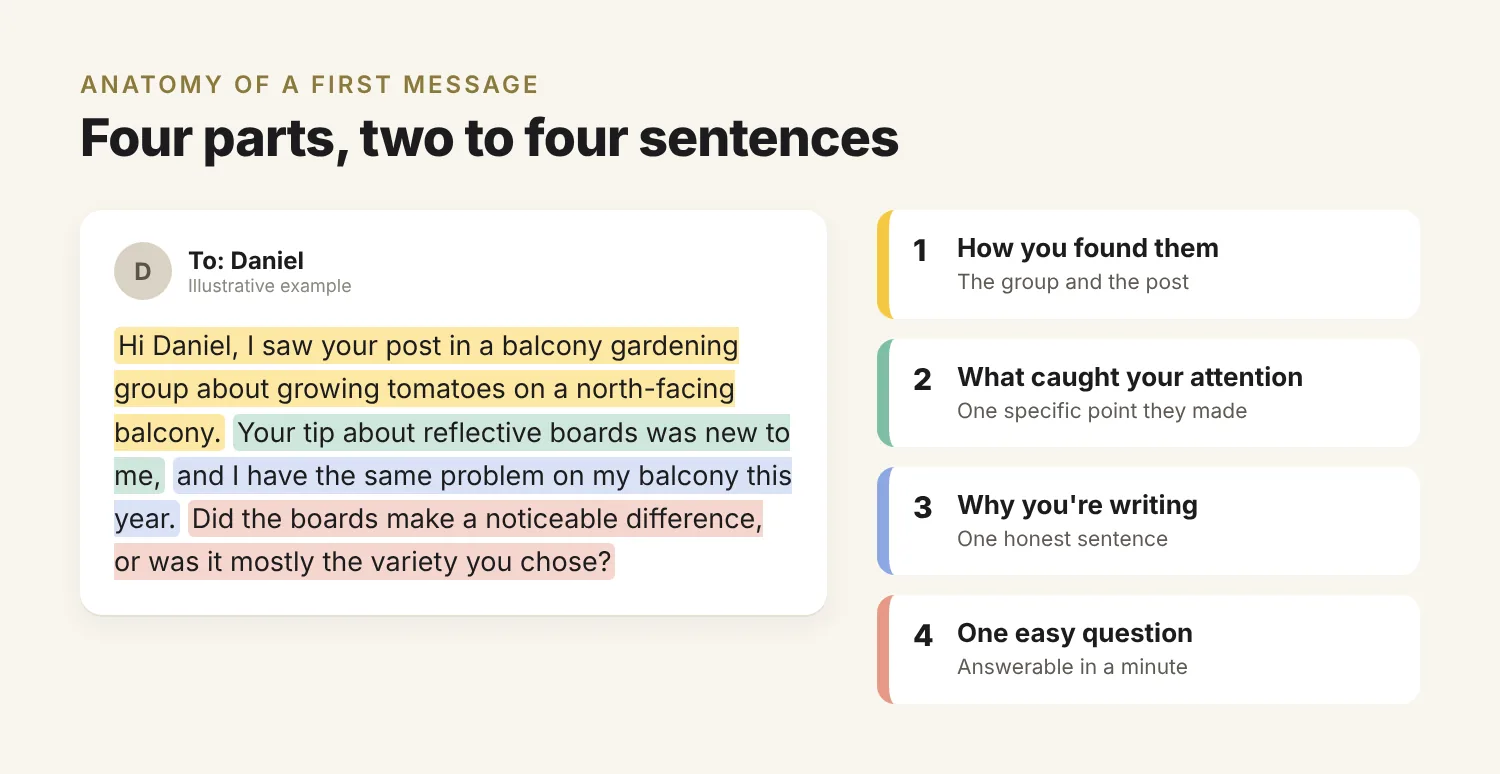
- How you found them: “I saw your post in [group] about [topic].”
- What caught your attention: one specific point they made.
- Why you’re writing: one honest sentence about what you’d like.
- One easy question they can answer in a minute.
Example (illustrative):
Hi Daniel, I saw your post in a balcony gardening group about growing tomatoes on a north-facing balcony. Your tip about reflective boards was new to me, and I have the same problem on my balcony this year. Did the boards make a noticeable difference, or was it mostly the variety you chose?
What not to send in a first message
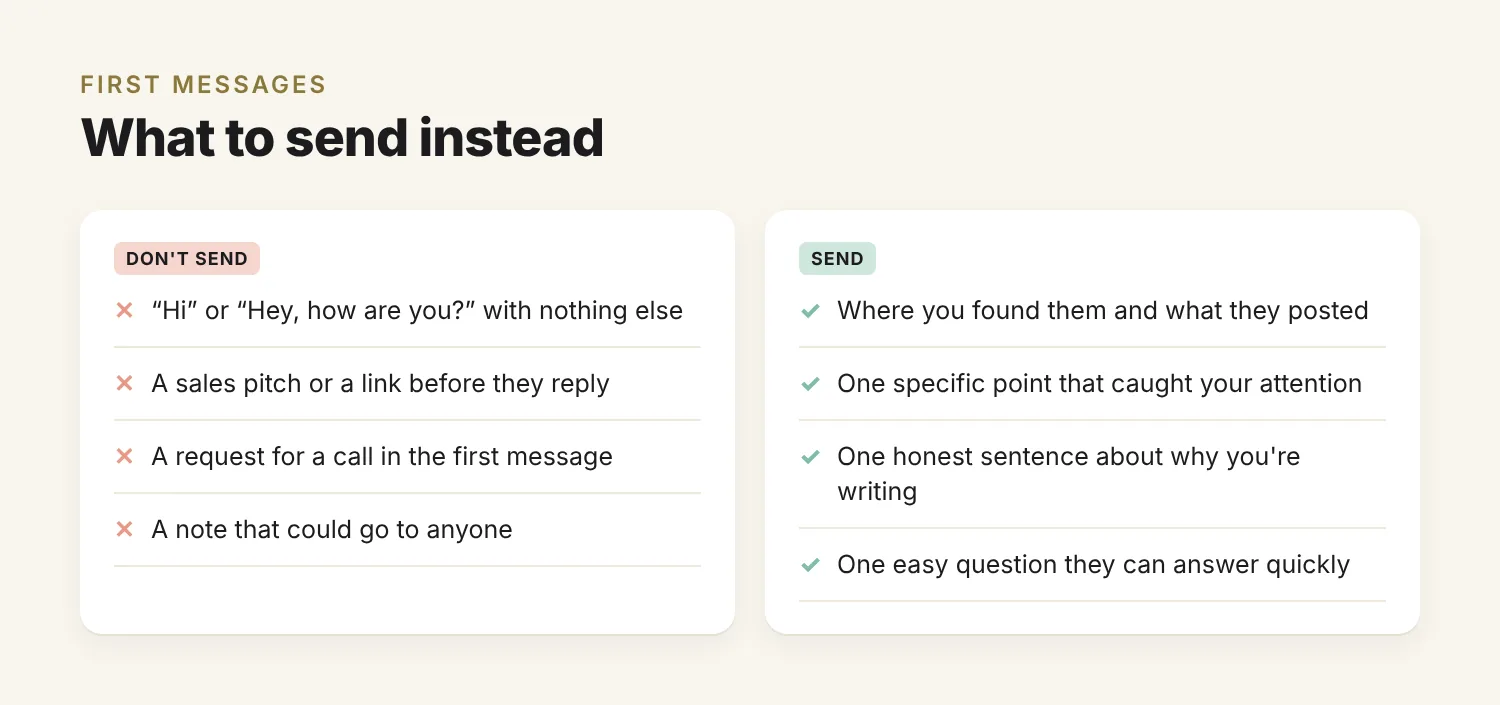
- “Hi” or “Hey, how are you?” with nothing else.
- A sales pitch or a link before they’ve replied.
- A request for a call. Suggest one after you’ve traded a few messages and there’s a reason to talk.
- A note that could go to anyone. If you could swap in another name without changing a word, rewrite it.
How to write your Facebook profile Intro
Your profile Intro is the section below your profile picture that holds your short bio and details, and it introduces you to anyone who clicks your name from a comment or message. Write one or two lines: what you do or care about, one specific angle, and what you’re open to. Facebook says the information in your Intro section is always public, so leave out anything you wouldn’t tell a stranger.
How to edit your Intro
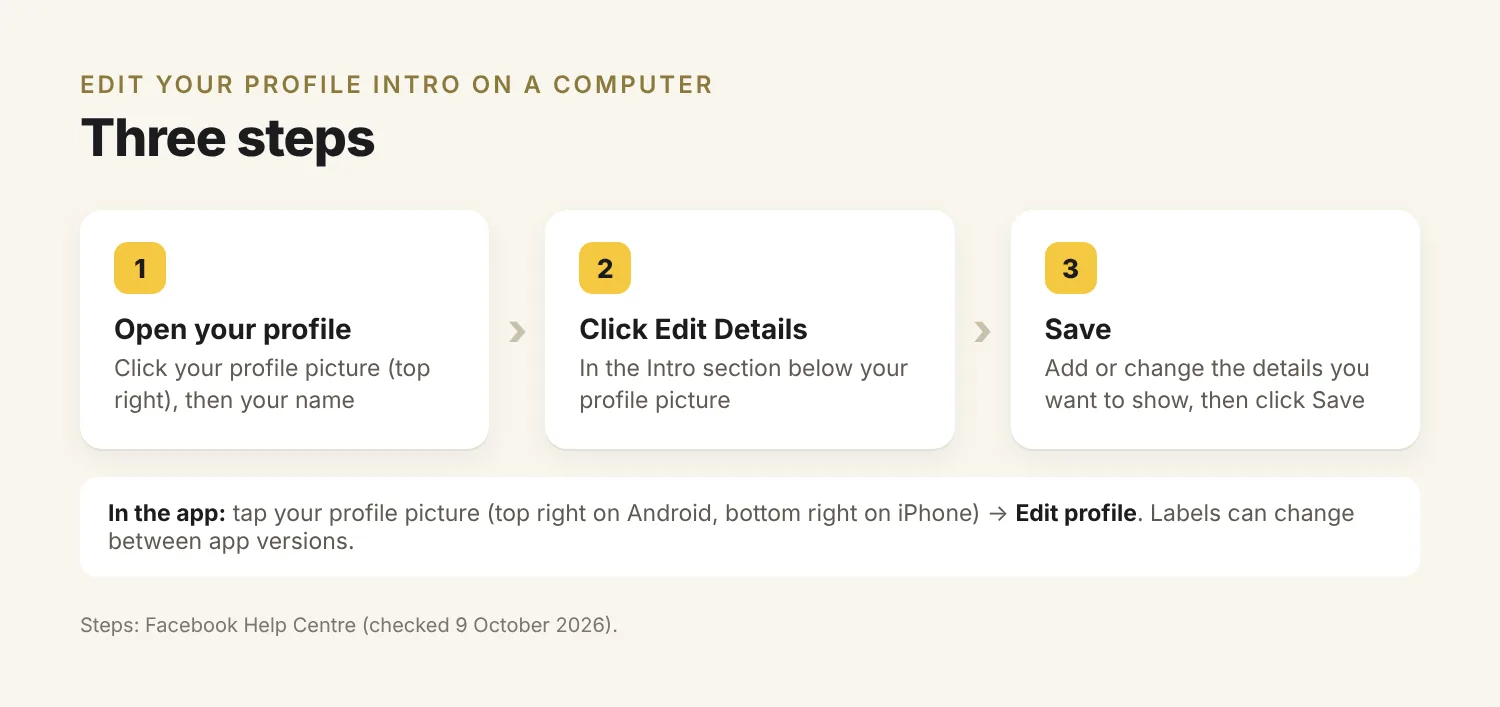
On a computer, according to Facebook’s Help Centre:
- Click your profile picture in the top right of Facebook, then click your name.
- In the Intro section below your profile picture, click Edit Details.
- Add or change the details you want to show, then click Save.
In the Facebook app, tap your profile picture (top right on Android, bottom right on iPhone), tap Edit profile, and choose the details you want to change; your bio sits in the same Intro area. Button labels can change between app versions. The help page doesn’t state a character limit for the bio, so aim for one or two short lines.
Examples (illustrative):
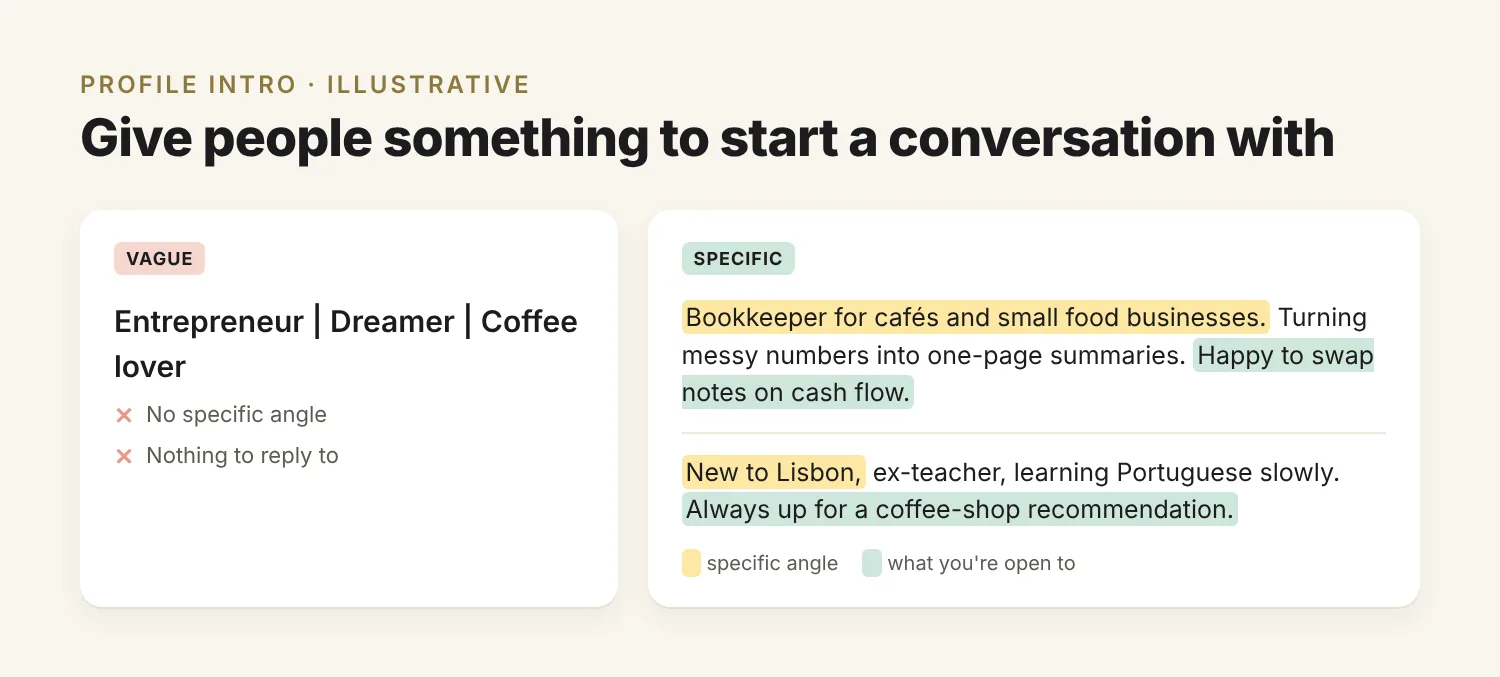
Bookkeeper for cafés and small food businesses. Turning messy numbers into one-page summaries. Happy to swap notes on cash flow.
New to Lisbon, ex-teacher, learning Portuguese slowly. Always up for a coffee-shop recommendation.
A specific angle such as “cafés and small food businesses” or “new to Lisbon” helps the right people decide to message you. “Entrepreneur | Dreamer | Coffee lover” gives them nothing to start a conversation with.
How to introduce your business on Facebook
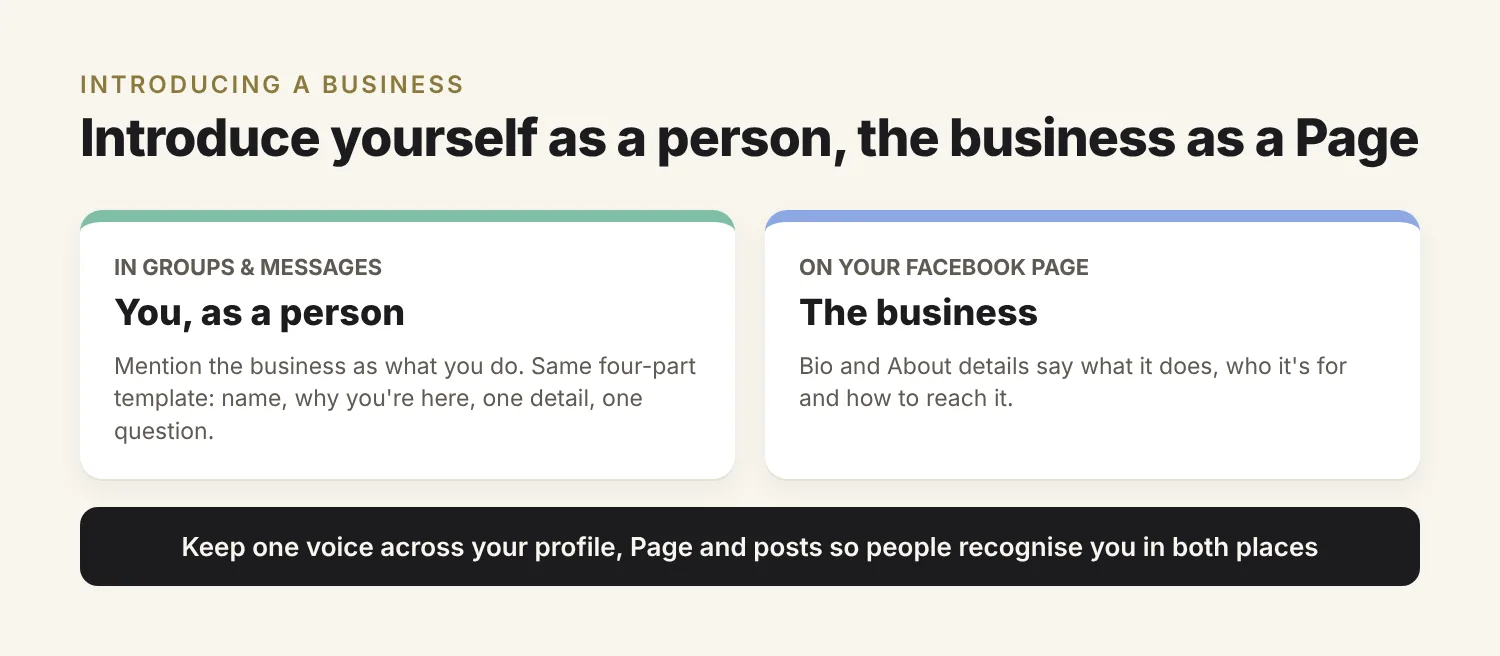
When you introduce a business, keep yourself and the brand separate. In groups and messages, introduce yourself as a person and mention the business as what you do. On a Facebook Page, the bio and About details should say what the business does, who it’s for and how to reach it, so visitors can tell quickly whether it’s for them.
A first post on a new Page can follow the group template: who’s behind the business, why you started it, one specific detail (your first product, your town, your speciality) and a question that invites comments. Keep the voice consistent across your profile, Page and posts, so people who meet you in a group recognise the business when they visit the Page.
Mistakes that get Facebook intros ignored
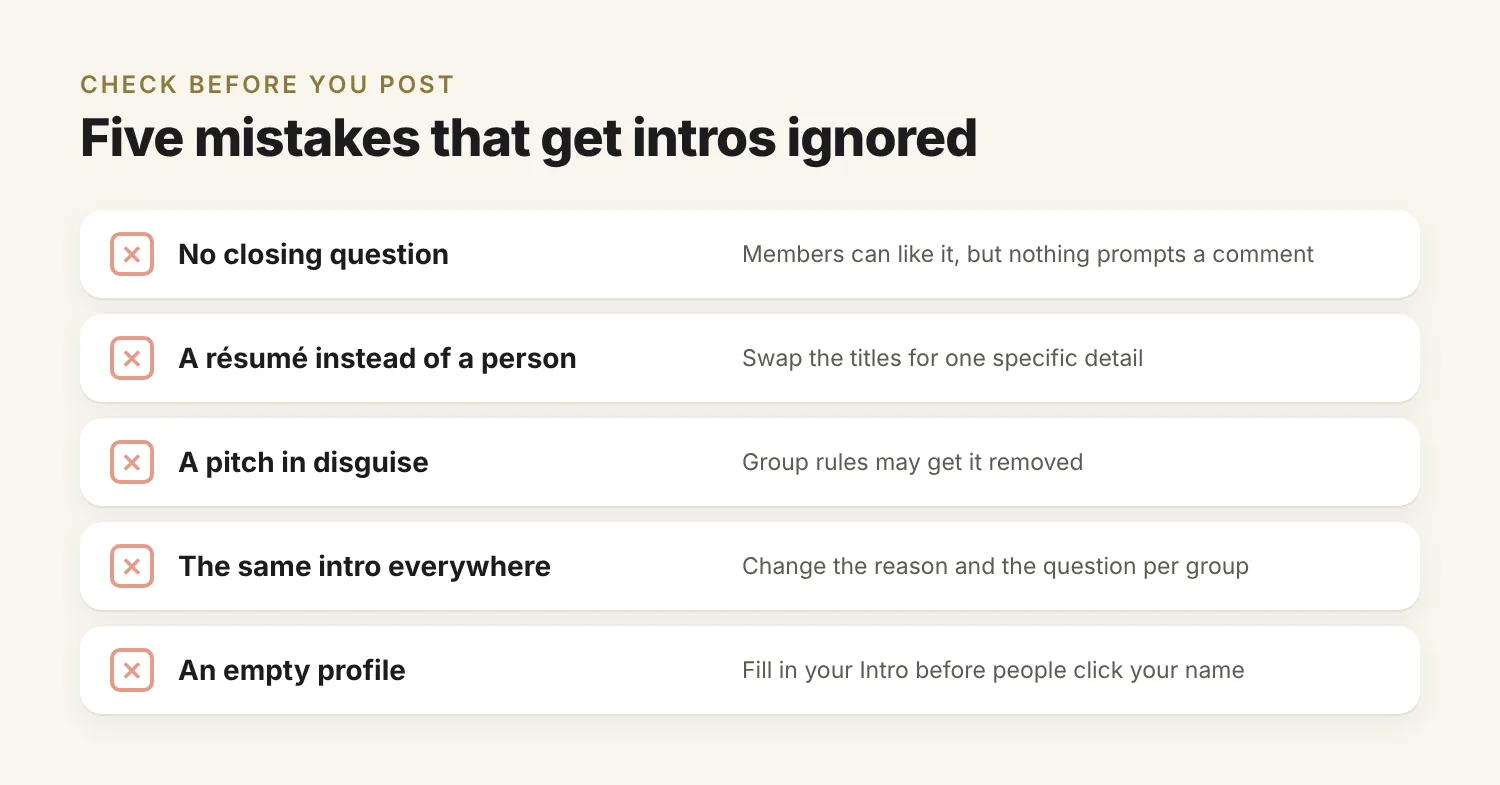
Facebook intros get few replies when they give readers nothing to respond to. Five mistakes do that: no closing question, titles instead of a person, a disguised pitch, the same text in every group, and a blank profile. Check for each before you post:
- No question. Members can like the post, but nothing prompts them to comment.
- A résumé instead of a person. A string of titles is forgettable; one specific detail is easier to remember.
- A pitch in disguise. “Hi, I’m Sam and I help people lose 10 kg, DM me” is an ad, and the group’s rules may get it removed.
- The same intro everywhere. Keep the structure, but change the reason you joined and the question for each group.
- An empty profile. People who like your intro may click your name; a blank Intro and no public posts give them little reason to say hello.
What to do after you post
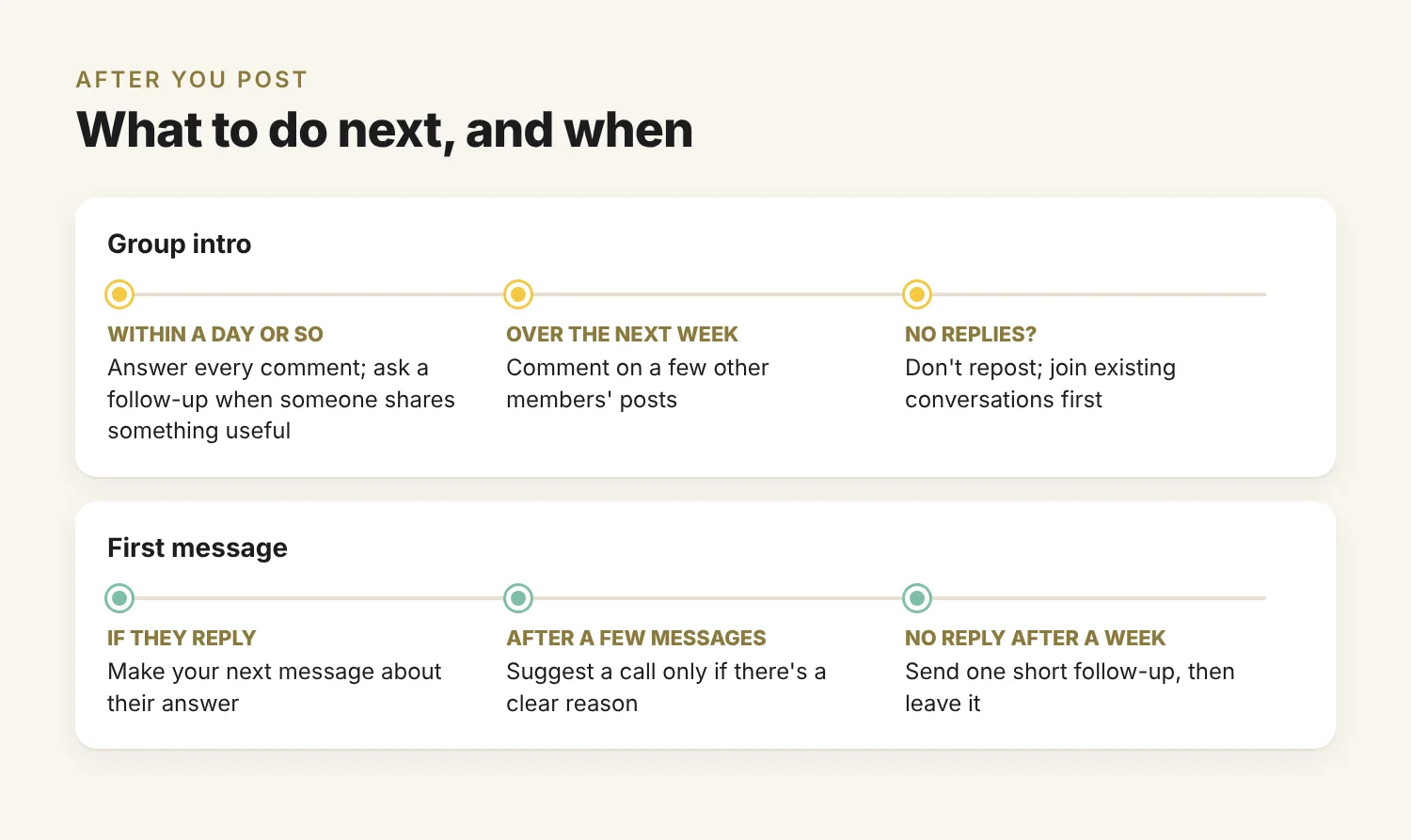
In a group, answer every comment on your intro within a day or so, and ask a follow-up question when someone shares something useful. Over the next week, comment on a few other members’ posts so your name appears beyond your intro.
After a message, if the person replies, make your next message about their answer rather than your offer. Suggest a call only once you’ve exchanged a few messages and have a clear reason to talk. If a message gets no reply after a week, send one short follow-up, then leave it. If it went to Message requests, they may not have seen either message yet, and if they’ve chosen not to receive requests, neither will arrive.
If nobody replies to a group intro, don’t repost it straight away. Join a few existing conversations first; a helpful comment on someone else’s post reaches members who scrolled past your introduction.
Start with one intro this week
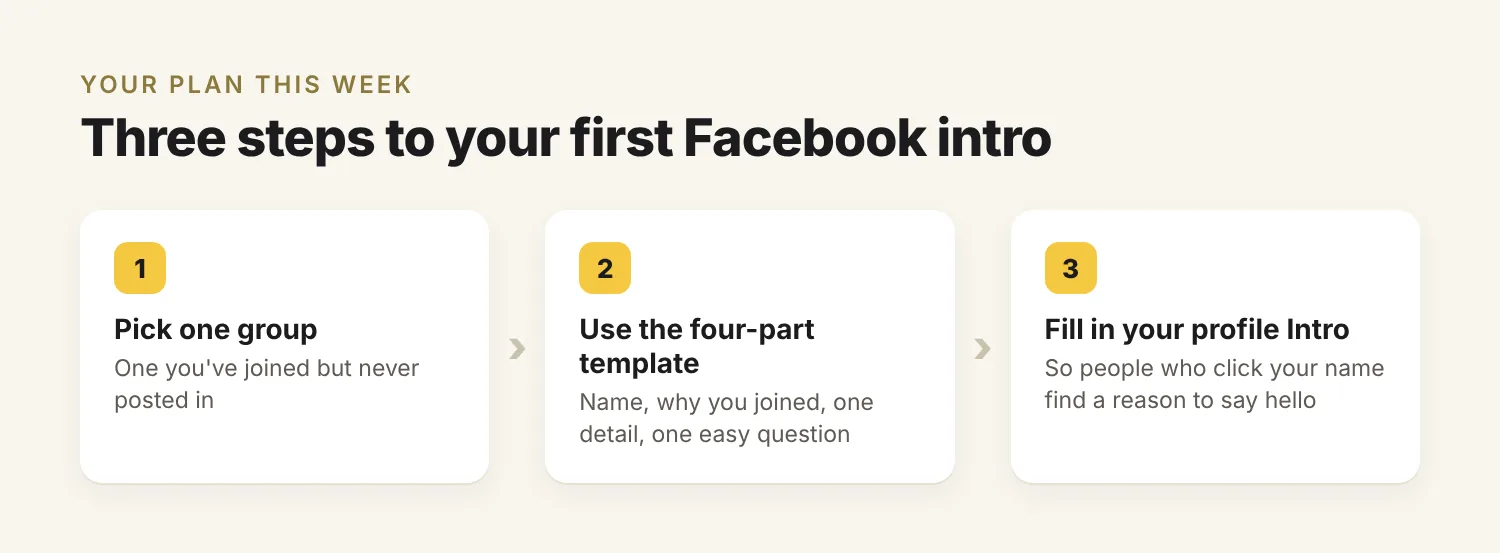
Whatever the format, a good Facebook intro does two things: it tells people something specific about you and gives them an easy reason to reply. Pick one group you’ve joined but never posted in, use the four-part template, and end with a question you’d like answered. Then fill in your profile Intro so that people who click your name find a reason to say hello.
About the author: Kirti Prakash is a founder and serial entrepreneur.